
A promising lead submits a form at 9:12 a.m. By 9:15, the sales team receives an incomplete notification, marketing has no context for the campaign that generated it, and the prospect is still waiting for a response. That gap is where revenue leaks. A well-designed workflow automation example shows how a business can turn disconnected tasks into a dependable operating system that responds quickly, keeps data accurate, and gives teams time to focus on higher-value work.
For growing companies, automation is not about replacing every human decision. It is about removing the repetitive handoffs, copy-and-paste work, and avoidable delays that slow down customer acquisition and service delivery. The strongest automations connect business goals to practical workflows, then build in the controls needed to scale safely.
A workflow automation example for lead management
Consider a B2B services company that generates leads through its website, paid campaigns, referrals, and industry events. Before automation, a coordinator checks form submissions throughout the day, enters each contact into a CRM, assigns a sales representative, and sends a basic follow-up email. At higher lead volumes, details get missed, response times vary, and no one has a clear view of where leads are getting stuck.
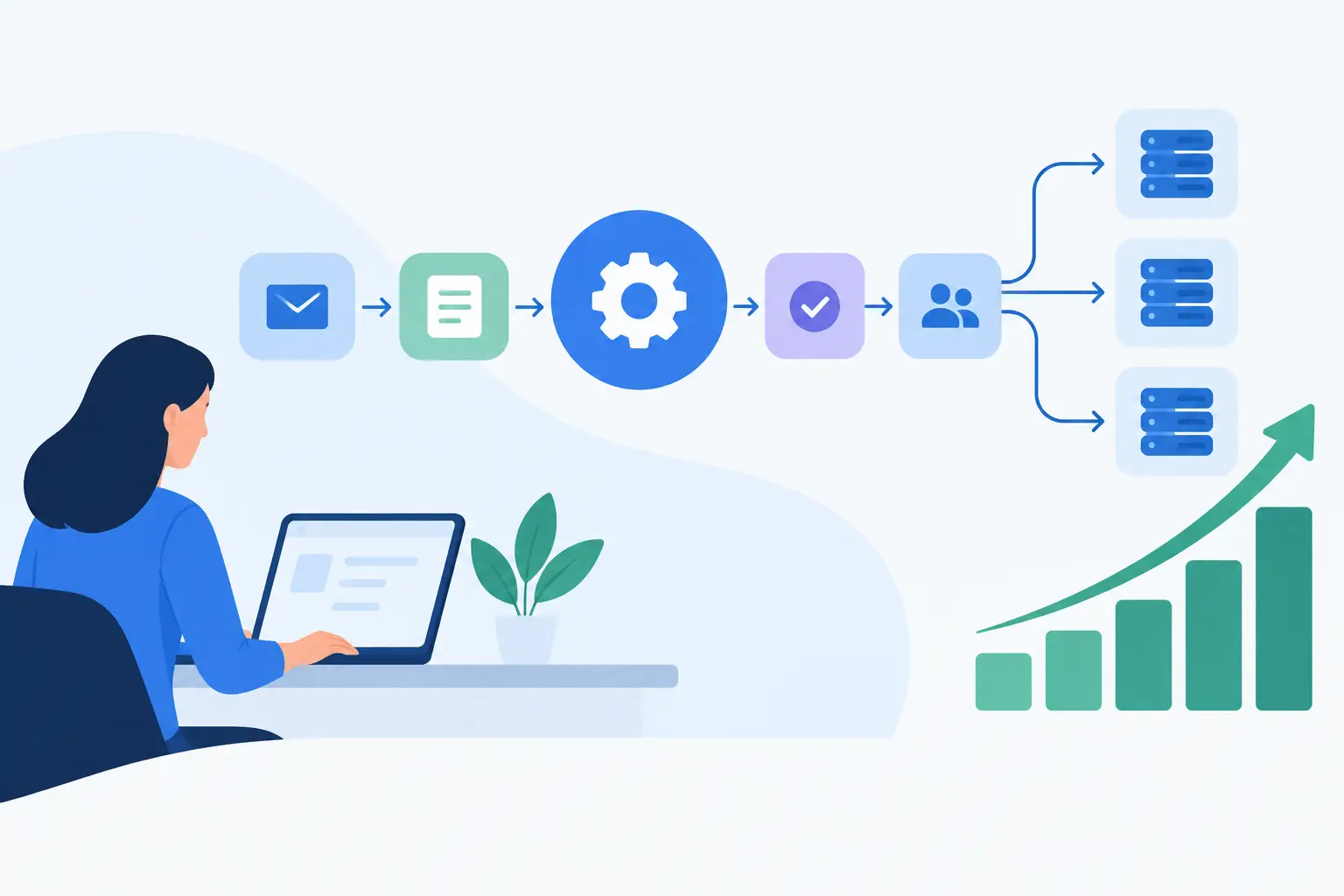
The automated workflow begins the moment a prospect submits a form, books a consultation, or is added through an event list. The system validates the contact information, checks for an existing record, and creates or updates the CRM profile. It then applies source, campaign, industry, company size, and service-interest tags based on the data available.
Next, routing logic assigns the lead to the right owner. A startup founder seeking MVP development may go to a business development specialist with product strategy experience. An enterprise prospect asking about custom integrations may be assigned to a senior solutions lead. If the request indicates urgency, a high potential deal size, or an existing customer relationship, the workflow can flag it for priority review.
Within minutes, the prospect receives a personalized confirmation that reflects the service they requested. The assigned team member receives a notification containing the lead details, source information, recommended next step, and a link to the CRM record. A follow-up task is created automatically with a deadline, so accountability does not depend on someone remembering to set a reminder.
This is more than an email sequence. It is a coordinated process that creates a consistent customer experience while giving sales and operations teams reliable, usable data.
What makes this workflow valuable
Speed is the first business benefit. Prospects are most engaged when they have just requested information. A workflow that responds immediately and routes the opportunity to the correct person can significantly reduce the delay between interest and conversation.
Consistency matters just as much. Manual processes tend to vary by employee, workload, and time of day. Automation ensures every qualified lead receives the same baseline experience, every record follows the same data standards, and every owner is working from complete information.
The third benefit is visibility. When lead sources, routing decisions, response times, and pipeline stages are captured automatically, leadership can see which campaigns produce qualified opportunities. They can also identify whether conversion problems begin with marketing quality, sales follow-up, or an overloaded intake process.
For a founder or operations leader, that visibility supports better decisions. Instead of adding headcount simply because the team feels busy, they can determine whether a repeatable process should be improved first.
The architecture behind a dependable automation
A workflow should be designed around the systems your business already relies on, not bolted together as a collection of isolated tools. In this example, the core architecture may include a website or landing page, CRM, calendar platform, email service, team messaging tool, and reporting dashboard. Custom APIs can connect proprietary systems, industry platforms, or internal databases where off-the-shelf connections are not enough.
The trigger is the event that starts the process, such as a form submission. The workflow then runs validation rules before creating a record. Validation can confirm that email addresses are formatted correctly, required fields are present, and company domains do not match competitors or internal test accounts.
Deduplication is another essential step. Without it, a prospect who downloads a guide, registers for a webinar, and requests a consultation may become three separate contacts. The workflow should search for likely matches using email address, phone number, company name, or a defined combination of fields. If a record already exists, it should update the profile and preserve the relationship history rather than creating another lead.
Routing rules must also be transparent. Businesses often start with geography or simple round-robin assignments, then add logic based on segment, product interest, account status, language, or estimated value. There is no single best model. The right approach depends on sales structure, service complexity, and how much lead volume the company handles.
Finally, exception handling keeps the system useful when reality does not fit the happy path. If a form is incomplete, an API fails, or a lead cannot be assigned, the workflow should notify an operations owner and place the record in a review queue. Silent failures are expensive because they often remain undiscovered until a customer complains or a deal is lost.
Where AI improves the process
AI can add value after the fundamentals are in place. For example, an AI layer can summarize open-ended form responses, identify likely service needs, categorize inquiry urgency, and draft an internal briefing for the assigned representative. It can also analyze conversation transcripts to surface common objections or recurring implementation questions.
However, AI should not make irreversible decisions without appropriate oversight. Automatically rejecting leads, changing contract terms, or making sensitive eligibility determinations based on an AI score creates unnecessary risk. A better approach is to use AI for prioritization and recommendations, while giving qualified team members the authority to review exceptions and make final decisions.
This distinction is especially relevant for businesses handling financial, health, legal, or employee data. Security, permissions, audit trails, and data retention policies should be part of the workflow design from the beginning, not added after launch.
Build the workflow around measurable outcomes
Automation should solve a defined operational problem. Before development begins, establish the baseline: average first-response time, percentage of leads contacted within the target window, duplicate record rate, lead-to-meeting conversion rate, and hours spent on manual intake each week.
After launch, measure the same indicators over time. If response times improve but meeting quality declines, the routing or qualification logic may need adjustment. If sales representatives ignore automated tasks, the notifications may be poorly timed or delivered in the wrong channel. Automation is a process improvement program, not a one-time software installation.
It also helps to begin with one workflow that has a clear owner, stable inputs, and a meaningful business impact. Lead management is a common starting point, but the same model applies to customer onboarding, support ticket escalation, invoice approvals, inventory alerts, employee requests, and project handoffs.
Avoid automating a broken process
A fast version of a confusing process is still confusing. Before building, map the current workflow with the people who do the work every day. Ask where data originates, who needs it, which decisions require judgment, and what happens when a standard path fails.
This discovery phase often reveals that teams have different definitions of a qualified lead, customer stage, or priority level. Resolving those differences is not administrative overhead. It is the work that makes automation accurate and trusted.
At SolidAppMaker, automation projects are approached as part of a broader technology strategy. That can include custom application development, API integrations, AI capabilities, security planning, testing, deployment, and ongoing maintenance. The goal is not to add another tool to the stack. It is to build a system that supports how the business intends to grow.
The most useful first automation is rarely the flashiest one. Choose the process that repeatedly costs your team time, creates customer friction, or prevents leaders from seeing what is actually happening. When that process becomes reliable, your team gains more than efficiency: it gains the capacity to move faster with confidence.