
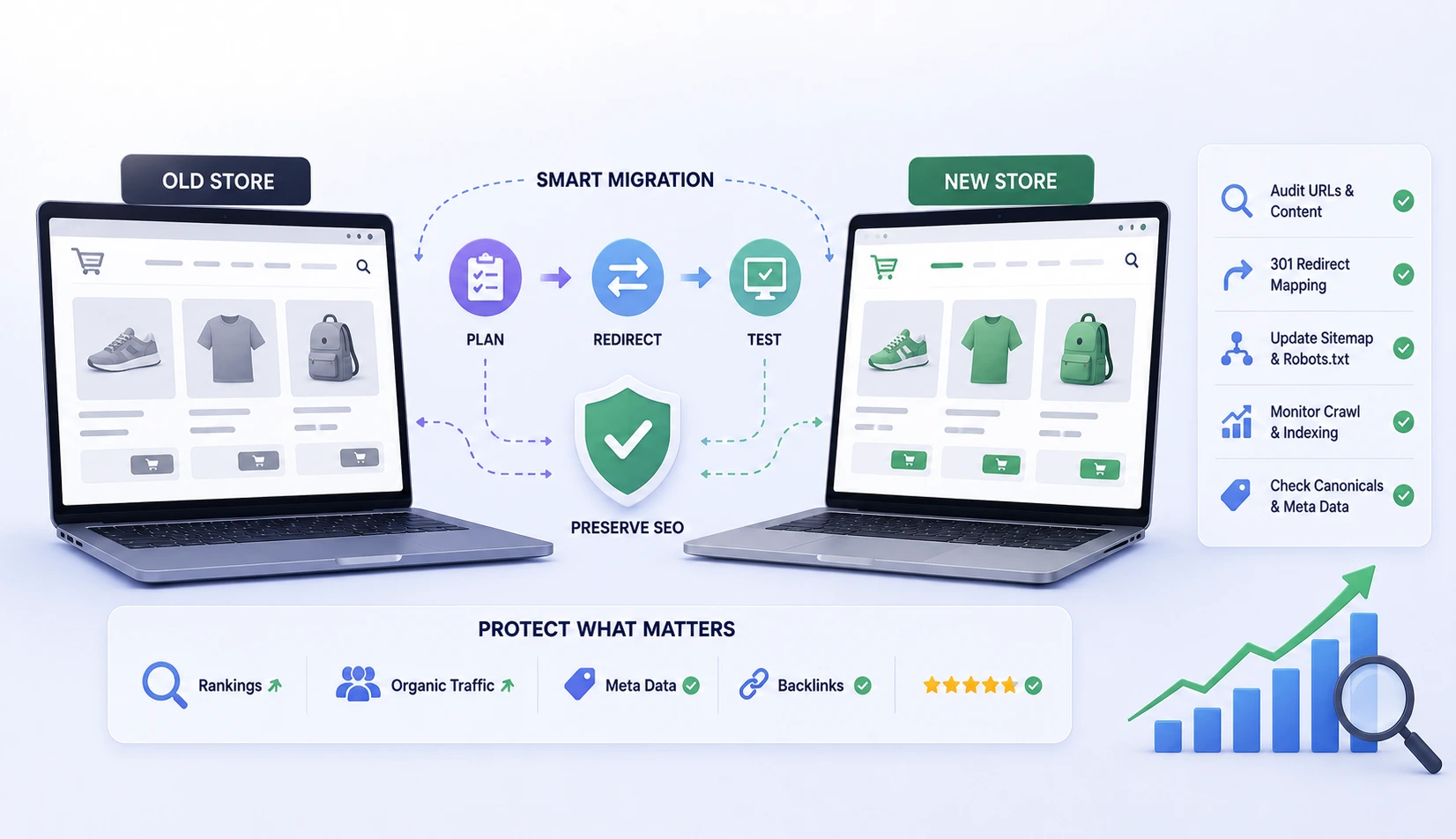
An online retailer once migrated from a legacy platform to Shopify expecting a smooth transition, only to watch organic traffic drop by nearly half within a month. The cause wasn’t the new platform itself. It was thousands of product URLs that changed structure without any redirects in place, effectively telling Google those pages no longer existed.
That outcome is entirely preventable. An ecommerce site migration involves more moving parts than a standard website move, since product pages, category structures, and transactional functionality all need to survive the switch. A proper site migration SEO checklist, especially for a Shopify migration, protects rankings that took years to build.
Why E-commerce Migrations Carry Extra SEO Risk
Unlike a basic informational website, e-commerce sites often have thousands of individual URLs across products, categories, filters, and variants. A migration touching even a fraction of that structure without careful redirect planning can wipe out rankings across an entire product catalog simultaneously.
Pre-Migration SEO Audit
Before migrating, document:
- A full URL inventory of every indexed page, pulled from Google Search Console and a site crawl tool, not just what’s visible in the current site’s navigation.
- Current rankings and traffic per page, establishing a clear baseline to measure against after migration.
- Existing metadata (title tags, meta descriptions) for every product and category page.
- Structured data currently in use, such as product schema markup showing price and availability in search results.
- Backlink profiles pointing to specific product or category pages, since losing those pages without redirects wastes existing link equity.
The Redirect Strategy That Actually Works
- Map every old URL to its new equivalent, one-to-one wherever possible, rather than redirecting everything to a generic category or homepage.
- Use 301 redirects specifically, since these tell search engines the move is permanent and pass ranking value to the new URL.
- Test redirects before going live on a staging environment, checking a representative sample across products, categories, and filtered pages.
- Avoid redirect chains, where one redirect points to another redirect, since each hop dilutes ranking value and slows page load.
- Keep the redirect map documented and stored, since edge cases often surface for weeks after launch.
A Real-World Scenario
A specialty retailer migrating platforms discovered that their old site used size and color variants as separate indexed URLs, while their new platform combined variants onto a single product page. Without redirect planning, this would have created hundreds of broken links. Mapping each old variant URL to the correct anchor point on the new combined product page preserved both user experience and existing search value.
Platform-Specific Considerations for Shopify Migration
- Shopify automatically generates its own URL structure for products and collections, which often differs from a previous platform’s structure, making redirect mapping essential rather than optional.
- Shopify’s built-in redirect tool works well for smaller catalogs, but larger stores often need a bulk redirect import to handle volume efficiently.
- Confirm that Shopify’s default product schema markup is properly configured, since this affects how products display in search results.
- Check for duplicate content issues from Shopify’s automatic pagination and filtering URLs, which can dilute page authority if not handled with proper canonical tags.
Common Mistakes
- Redirecting all old product URLs to the homepage instead of mapping them individually, which search engines treat as a weak signal and rarely preserves rankings.
- Migrating without first exporting historical rankings and traffic data, making it impossible to measure post-migration impact accurately.
- Forgetting to update internal links throughout the site to point directly to new URLs instead of relying entirely on redirects.
- Launching without resubmitting an updated XML sitemap immediately after cutover.
- Ignoring image file migrations, breaking image search traffic that many e-commerce sites rely on more than they realize.
Expert Advice
The single highest-leverage step in any ecommerce site migration is a complete, one-to-one redirect map built before migration day, not assembled reactively afterward. Retailers who treat this mapping exercise as seriously as the platform migration itself consistently retain the large majority of their organic traffic within the first month.
Conclusion
Ecommerce site migration doesn’t have to mean sacrificing search visibility. A thorough site migration SEO checklist, careful redirect mapping, and platform-specific attention during a Shopify migration protect rankings that represent real, accumulated business value. The extra planning time upfront is consistently cheaper than recovering lost traffic afterward.
Frequently Asked Questions
1. How long does it take to recover rankings after an e-commerce migration?
With proper redirects in place, most sites see rankings stabilize within four to eight weeks. Poorly executed migrations can take several months or longer to recover, if they recover fully at all.
2. Should I redirect every single product URL individually?
Yes, wherever the product still exists on the new site. Redirecting to category or homepage pages instead of the specific product loses most of the ranking value.
3. Does migrating to Shopify automatically hurt SEO?
Not inherently, but Shopify’s default URL structure differs from most other platforms, making careful redirect planning necessary to avoid ranking loss.
4. What’s the biggest SEO risk during an e-commerce migration?
Missing or incorrect redirects, particularly for high-traffic product and category pages that carry significant existing ranking value.
5. Should I migrate during a high-traffic sales period?
No. Migrations should happen during lower-traffic periods, giving time to catch and fix issues before peak shopping seasons.