
A founder recently told us their site was “always kind of slow,” and they’d just assumed that was normal. Their business had grown from a side project to processing a few hundred orders a day, but they were still on the same shared hosting plan from three years earlier. Once we moved them to a properly sized VPS, page load times dropped by more than half, and support tickets about checkout timeouts disappeared almost overnight.
Hosting decisions rarely feel urgent until they quietly become a bottleneck. Understanding cloud hosting vs VPS and shared hosting vs cloud isn’t just a technical exercise. It directly affects site speed, uptime, and how well hosting for startups scales as traffic grows.
The Three Hosting Models Explained
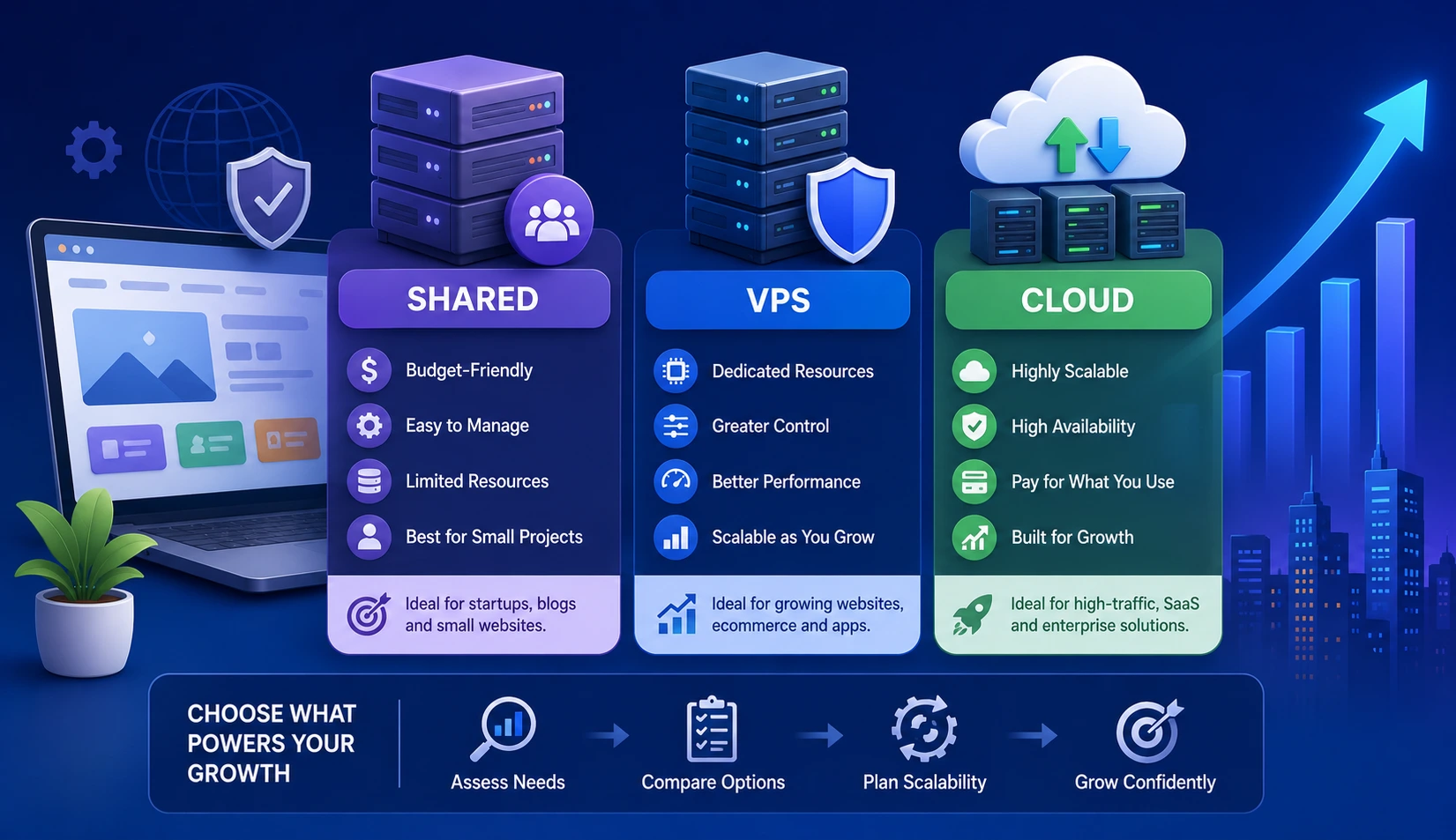
- Shared hosting puts multiple websites on a single server, splitting resources among all of them.
- VPS (Virtual Private Server) hosting partitions a physical server into isolated virtual environments, giving each site dedicated resources.
- Cloud hosting distributes a site across a network of virtual servers, scaling resources up or down automatically based on demand.
Each model fits a different stage of business growth, and picking the wrong one is one of the most common (and avoidable) technical debt issues we see in early-stage companies.
Shared Hosting: When It Still Makes Sense
Shared hosting remains a reasonable choice for:
- Simple brochure-style websites with low traffic
- Early-stage blogs still testing an audience
- Businesses with tight budgets and no e-commerce functionality
The tradeoff is real, though. Because resources are shared across many accounts, one high-traffic neighbor on the same server can slow everyone else down. There’s also limited control over server configuration, which becomes a problem the moment an app needs custom software or specific server rules.
VPS Hosting: The Middle Ground
A VPS gives a business its own slice of dedicated resources without the cost of a fully dedicated server. This works well for:
- Growing e-commerce sites with consistent (not wildly spiky) traffic
- Web applications that need custom server configurations
- Businesses that want predictable monthly costs
A Real-World Scenario
An online retailer moved from shared hosting to VPS ahead of a planned marketing push. Their previous host had no way to isolate resources, so a single flash sale had crashed their site the year before. On VPS, the same sale ran without a hiccup, since their resources weren’t competing with unrelated sites.
Cloud Hosting: Built for Growth
Cloud hosting is the right fit when traffic is unpredictable or growing fast. Its core advantage is elasticity: resources scale automatically during traffic spikes and scale back down afterward, so businesses aren’t paying for capacity they don’t need most of the time.
This model suits:
- Apps or sites expecting seasonal or viral traffic spikes
- SaaS products with rapidly growing user bases
- Businesses that need high availability across multiple geographic regions
The tradeoff is complexity and, often, cost unpredictability if usage isn’t monitored closely.
How to Choose the Right Fit
| Factor | Shared | VPS | Cloud |
|---|---|---|---|
| Traffic level | Low | Moderate, steady | High or unpredictable |
| Budget predictability | Very high | High | Moderate |
| Control over configuration | Low | High | High |
| Scalability | Very limited | Limited | Excellent |
| Best for | Simple sites | Growing e-commerce, web apps | SaaS, high-growth businesses |
Common Mistakes When Switching
- Migrating to cloud hosting before actual traffic justifies the added complexity and cost.
- Staying on shared hosting well past the point where site speed starts hurting conversions and search rankings.
- Underestimating the technical knowledge needed to properly configure a VPS, leading to security misconfigurations.
- Ignoring geographic server location, which affects load times for users far from the server’s physical region.
- Failing to monitor cloud hosting usage, resulting in surprise bills during traffic spikes.
Expert Advice
The right hosting choice isn’t about picking the most powerful option available. It’s about matching infrastructure to actual, current traffic patterns, with a clear plan for the next scaling step. A business jumping straight to complex cloud infrastructure before it’s needed often spends more time managing infrastructure than building the product.
Conclusion
Cloud hosting vs VPS isn’t a question with one universal answer. Shared hosting vs cloud comes down to where a business actually sits today, not where it hopes to be in two years. Choosing hosting for startups that matches current traffic, with a clear upgrade path, keeps a growing business fast and reliable without overspending on infrastructure it doesn’t yet need.
Frequently Asked Questions
1. When should a business move from shared to VPS hosting?
Once traffic becomes consistent enough that site speed noticeably suffers, or when custom server configurations are needed that shared hosting doesn’t allow.
2. Is cloud hosting always more expensive than VPS?
Not necessarily. Cloud hosting costs scale with usage, so a low-traffic site might cost less on cloud, while a steady, predictable-traffic site might cost less on VPS.
3. Can I migrate from shared hosting directly to cloud hosting?
Yes, though it’s often more cost-effective to move to VPS first unless traffic patterns are already highly variable or rapidly growing.
4. Does hosting type affect SEO rankings?
Indirectly, yes. Page speed and uptime are ranking factors, and shared hosting’s resource limits often hurt both compared to VPS or cloud.
5. How much technical knowledge is needed to manage a VPS?
More than shared hosting, since server configuration and security updates are typically the account owner’s responsibility unless a managed VPS plan is chosen.