
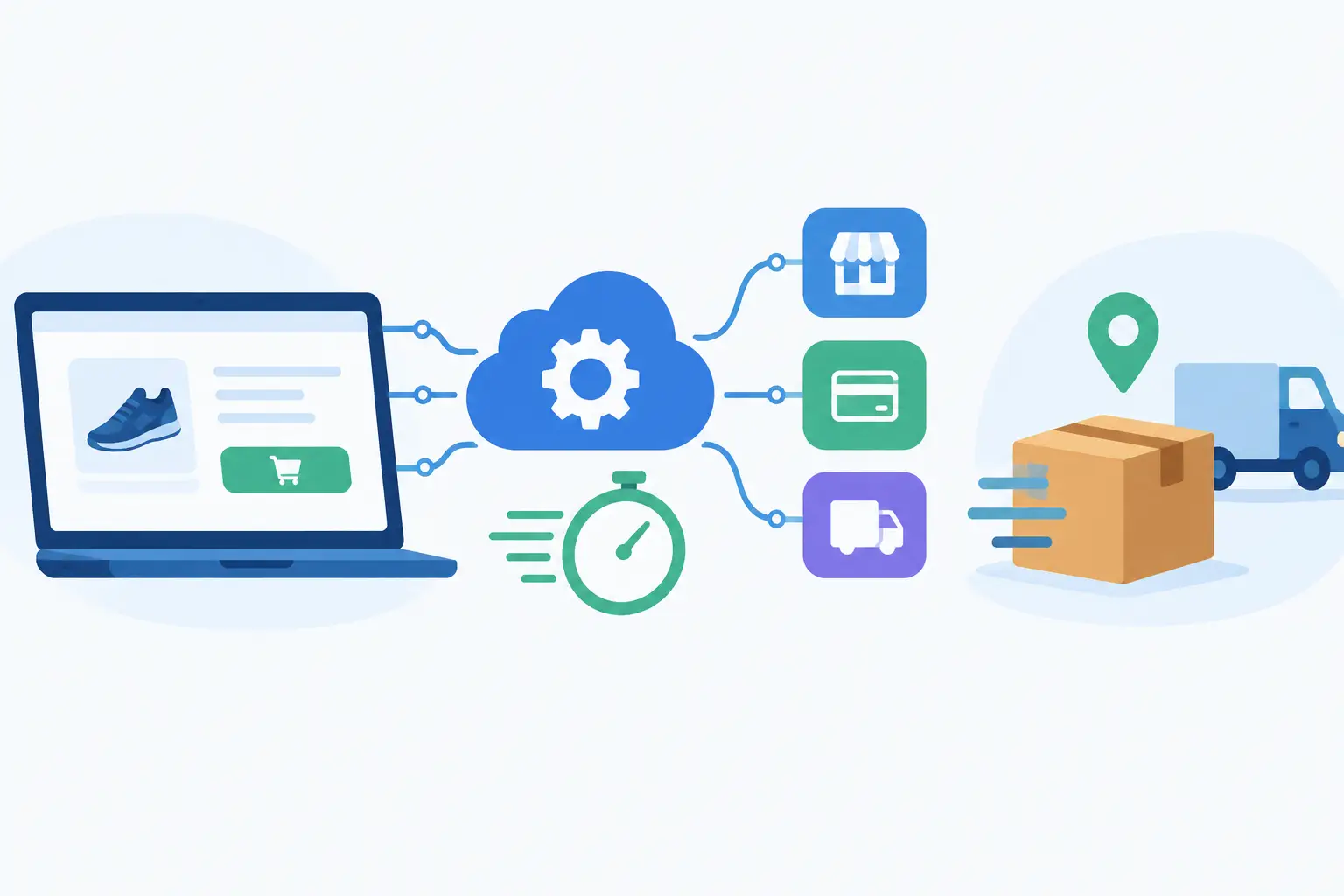
A customer can place an order in seconds, but the work behind that order often spreads across five different systems. Someone checks payment status, another person copies shipping details, finance waits for a report, and support has limited visibility when the customer asks for an update. This API integration example shows how a connected workflow can turn that fragmented process into a reliable operational system.
The scenario is common for growing ecommerce businesses, distributors, subscription services, and B2B companies. An order is created in an online storefront or customer portal. The business needs to validate payment, send the order to fulfillment, create the right financial record, notify the customer, and give internal teams a shared view of status. Without integration, these steps depend on manual handoffs that become slower and more error-prone as volume grows.
API Integration Example: Connecting an Order Workflow
Imagine a company selling customized office equipment through a web store. Its technology stack includes an ecommerce platform, a payment processor, a warehouse management system, accounting software, a CRM, and a customer support platform. Each tool is useful on its own. The problem is that none of them should require employees to re-enter the same order data.
A custom integration can begin the moment the ecommerce platform reports a new paid order. Rather than polling the storefront every few minutes, the platform sends a webhook to the company’s integration service. A webhook is an event-driven message that says, in effect, “a paid order has been created.” It gives the workflow a timely starting point and reduces unnecessary API requests.
The integration service receives the event, verifies that it came from the authorized platform, and retrieves the complete order record through the ecommerce API. It then validates required fields such as customer name, delivery address, product SKU, tax amount, shipping method, and payment status. If the order is incomplete, the service does not push bad data into downstream systems. It routes the exception to an operations queue with enough context for a team member to resolve it.
For valid orders, the service maps the storefront’s data structure to the format required by the warehouse system. A field called `line_items` in one platform may need to become `orderLines` in another. Product IDs may need to be translated into warehouse SKUs. A shipping method such as “Expedited” may need to map to a specific carrier service code. This mapping layer is where business rules become practical software.
Once the warehouse accepts the order, it returns an internal fulfillment ID. The integration stores that ID alongside the original storefront order number, then sends the appropriate information to accounting and CRM systems. Finance receives the sales data required for reconciliation. The CRM updates the customer profile with purchase history, order value, and product interests. Support can see the fulfillment reference and current order status without switching between disconnected tools.
The customer receives an order confirmation only after the business has a valid record that the workflow has been accepted. Later, when the warehouse ships the order, a second event can update the storefront, CRM, and support platform with tracking information. The result is not just automation. It is one operational record moving across the business with clear ownership and fewer blind spots.
What Makes This API Integration Example Work
The visible workflow sounds straightforward: receive an order, send it to connected systems, update the customer. The engineering decisions behind it determine whether the integration supports growth or creates a new source of risk.
Start with the business event, not the software tools
The right starting point is the decision or event that matters to the business. In this case, it is not simply “connect Store A to Warehouse B.” It is “process a paid order accurately, make it fulfillable, record it financially, and keep the customer informed.” That framing helps teams define what data is required, what happens when data is missing, and which system owns each piece of information.
For example, the storefront may be the source of truth for customer-facing order details, while the warehouse owns shipment status and inventory availability. Accounting may own invoice and payment reconciliation. Clear ownership prevents two systems from overwriting each other or creating conflicting records.
Use an integration layer when workflows have real business logic
A simple connector may be enough when one system sends a few fields to another with no conditional logic. It becomes less suitable when the workflow includes multiple systems, custom product rules, approval steps, error handling, or sensitive data.
A dedicated integration layer provides a controlled place to apply transformations, validations, and routing rules. It can also make future changes easier. If the company replaces its CRM, the team can update one connection rather than rebuilding order logic across every application.
There is a trade-off. Custom integration architecture requires planning and maintenance, while off-the-shelf automation tools can launch quickly. For a low-volume, stable process, a configured connector may be the more practical choice. For a revenue-critical workflow with complex rules or plans to scale, custom engineering usually creates more control and a stronger long-term foundation.
Design for duplicate events and temporary failures
APIs and webhooks do not guarantee that every message arrives exactly once. A platform may retry an event after a timeout. A network interruption may occur after the warehouse creates an order but before the integration receives its confirmation. If the workflow is not designed for this reality, the same customer order can be sent to fulfillment twice.
The solution is idempotency. Each order event should have a unique identifier, and the integration should record whether it has already been processed. Before creating a downstream record, the service checks that identifier or searches for the existing external order reference. A repeated event can then be safely ignored or used to refresh status rather than generate a duplicate order.
Temporary failures also need a deliberate response. If the accounting API is unavailable, the order should not disappear. The service should log the failure, retry according to defined rules, and alert the right team if recovery does not succeed. Not every error deserves the same treatment. An invalid address needs human review, while a short-lived API outage may only need a scheduled retry.
Protect credentials and customer information
An integration often touches names, addresses, payment indicators, pricing, and internal account data. API keys and access tokens should never be embedded directly in application code or shared in unsecured documents. Use encrypted secret storage, limited permissions, token rotation policies, and separate credentials for development, testing, and production.
Security also means limiting the data that moves through the workflow. The warehouse does not need full payment details to ship an order. The support platform may need order status but not cost-of-goods data. Purpose-based access reduces exposure and supports stronger governance as the business grows.
A Practical Delivery Plan for the Workflow
Before development begins, stakeholders should map the current order process in plain language. Identify each system, every handoff, the data captured, the common exceptions, and the team responsible for resolving them. This discovery phase often reveals that the biggest problem is not a missing API connection. It is an unclear process that software has been asked to hide.
Next, define measurable success criteria. A useful goal might be reducing manual order entry from 15 minutes per order to less than two minutes of exception handling. Another might be keeping fulfillment status synchronized within five minutes, or reducing duplicate order incidents to zero. These targets guide architecture choices and make project value easier to evaluate after launch.
The build should move through structured stages: discovery, workflow design, architecture, interface development, integration development, testing, deployment, monitoring, and ongoing improvement. Testing must include more than the ideal path. Teams should test canceled orders, partial refunds, out-of-stock products, duplicate webhooks, invalid addresses, API rate limits, and systems that are temporarily unavailable.
A production rollout does not have to be all-or-nothing. For many businesses, it is wiser to launch with a small product group, a limited region, or a controlled set of users. This exposes real operational behavior without placing every order at risk. Once monitoring confirms that the integration handles normal traffic and exceptions correctly, the workflow can expand with confidence.
When to Build a Custom Integration
A custom API integration is worth considering when manual work delays revenue, teams rely on spreadsheets to bridge systems, customers receive inconsistent updates, or leaders cannot trust the data used for decisions. It is especially valuable when the workflow supports a differentiating customer experience, such as real-time quoting, personalized fulfillment, subscription management, partner onboarding, or AI-assisted service operations.
The best solution still depends on the process. A startup validating a new offer may need a focused integration that proves demand quickly. An established company with multiple departments may need a scalable platform with role-based access, audit logs, reporting, and support procedures. In both cases, the technical work should follow the commercial priority rather than become an isolated engineering project.
At SolidAppMaker, we approach integrations as part of the product and operating model, not as a one-time connection between tools. The goal is to give your team clearer information, faster execution, and an architecture that can support the next stage of growth.
A well-planned integration should make work feel simpler for the people who rely on it. When an order, lead, service request, or internal approval moves through the right systems at the right time, your business gains more than efficiency. It gains the capacity to serve customers well without adding avoidable complexity.